

The fastest way to catch a genuine hotel price drop is to run a live search on exact dates through a platform built on real pricing feeds, like HeyVacay, set an alert with a specific dollar or percentage threshold, and confirm the total price (not just the nightly rate) before you book. Do this today: search your dates, set one alert, and check the cancellation terms on whatever comes back.
What actually counts as "real time" varies more than most travelers realize:
- Live API pricing — a fresh quote pulled on request for your exact dates and occupancy
- Polling — a system checking a rate repeatedly at set intervals, not truly instant
- Webhooks — automatic push notifications the moment a tracked rate changes
- Browser refresh — you manually reloading a page, which often just serves a cached price
Two things drive whether the number on your screen is trustworthy: how the underlying hotels live pricing API actually refreshes data, and whether your price alerts are tuned to catch a real drop instead of noise.
Key Takeaways
Real-time hotel price tracking works when you combine a live search on exact dates with a properly tuned alert and a total-price check before booking.
| Point | Details |
|---|---|
| Verify total price, not nightly rate | Add taxes and resort fees to any quoted rate before comparing hotels or booking. |
| Set alert thresholds around 8 to 10% | Smaller thresholds usually catch normal rate noise instead of genuine drops. |
| Book within minutes of an alert | Live rates aren't held, so confirm terms and book fast once a threshold fires. |
| Expect wider swings inside 7 days of travel | Rates move most in the final week before a stay, in either direction. |
| Use HeyVacay for transparent live tracking | HeyVacay shows normalized totals with fees included and no hidden markups at checkout. |
Table of Contents
- What Does "Real Time Hotel Prices" Actually Mean?
- How Do You Monitor Live Hotel Rates Without Losing Your Mind?
- Why Do Hotel Prices Change So Often?
- How Do You Compare Live Quotes Without Getting Burned?
- Why HeyVacay Is Built for Real-Time Price Tracking
- What Actually Happens When a Price Alert Fires
- Start Tracking a Hotel's Real Price Right Now
- Frequently Asked Questions
- Sources
What Does "Real Time Hotel Prices" Actually Mean?
"Real time" gets thrown around loosely in travel marketing, but it has a specific technical meaning: pricing generated on request, for your exact dates and party size, rather than pulled from a static cache built hours or days earlier. Most live hotel search tools work on a two-step handshake. A create-search call kicks off a request and returns a session token; a follow-up poll call retrieves the results once the pricing API finishes gathering quotes from its sources. That gap between the two calls, sometimes a second, sometimes several, is where "real time" quietly becomes "real time, with a delay."
Three things create that delay:
- Caching — storing a recent quote to save server load instead of re-querying every time
- Rate limits — providers capping how often a search can hit their systems
- Polling intervals — the fixed gap between automated checks, whether that's every 30 minutes or every few minutes
Providers that consolidate rates across multiple booking sites can return normalized pricing in under three seconds on request, with webhook options for high-volume monitoring. That speed matters more for a rate-tracking tool checking hundreds of properties than for you, checking one hotel before a trip.
Pro Tip: Use polling (a search you run yourself) when you're actively shopping right now. Switch to a webhook-based alert when you've found your hotel and just want to be told if the price drops before you travel.
How Do You Monitor Live Hotel Rates Without Losing Your Mind?
Chasing a price by refreshing a tab every hour is a losing game. A structured workflow beats vigilance every time.
- Run a live search for your exact check-in and check-out dates and the correct number of guests. Even one night's difference changes the rate.
- Normalize the total price — add taxes and resort fees to the quoted nightly rate before comparing anything.
- Set a price-tracking alert on the specific room type and dates you want, not just the hotel in general.
- Configure your alert cadence so you're notified on a schedule that matches how far out you're booking.
- Verify and book within minutes once an alert fires, since many live rates are only guaranteed at the moment of quote.
When you set the alert itself, decide on three things:
- Channel — mobile app push, email, or SMS, depending on how fast you need to react
- Threshold — a flat dollar drop, a percentage drop, or both
- Timing window — alerts tied to a specific stay date, so you're not flooded with irrelevant noise
For refresh frequency, checking every few hours is plenty if your trip is more than a month out. Inside two weeks of travel, tighten that to a few times a day, since rate feeds pulled from public booking sites can refresh anywhere from every 30 minutes down to sub-3-minute alert latency on paid monitoring plans. Checking constantly on your phone just burns battery and data for information that hasn't changed.
Pro Tip: Set your threshold at 8 to 10 percent off the current rate, not 2 or 3 percent. Anything smaller usually reflects normal rate fluctuation, not a real deal, and you'll waste time chasing false alarms.
Why Do Hotel Prices Change So Often?
A rate that was $189 this morning and $214 by dinner isn't a glitch, most of the time. It's automated revenue management responding to real signals.
- Demand spikes — a concert, conference, or other major local events fill rooms fast and push rates up
- Occupancy shifts — as a hotel fills, its own system raises prices on remaining rooms automatically
- Length-of-stay rules — some rates only apply to bookings of two nights or more, skewing what you see for a single night
- Channel-specific promotions — a discount live on one site and absent on another, for the same room
- Unsold last-minute inventory — hotels sometimes drop prices sharply inside the final 24 to 48 hours to avoid an empty room
- Automated pricing algorithms — software adjusting rates multiple times a day based on booking pace
There's a rough pattern across the booking timeline, too. In the 30-day window before a stay, rates tend to hold fairly steady. Inside seven days, they start moving more, sometimes up if demand is strong, sometimes down if the hotel is under booking pace. Inside 24 hours, you'll see the widest swings in either direction. Two live feeds can also show different numbers at the exact same moment, not because one is wrong, but because they cache on different intervals, include different fees, or reflect different cancellation terms attached to the same room.
How Do You Compare Live Quotes Without Getting Burned?
The nightly rate you see in search results is rarely the number you'll actually pay. Compare the real total before you commit.
- Add up room rate plus taxes plus resort fees to get the actual total cost of the stay
- Check the currency the quote is displayed in, and confirm any conversion rate if you're booking abroad
- Read the cancellation and payment policy attached to that specific rate, since a cheaper price often carries stricter terms
- Confirm what's included in the room type — breakfast, parking, or taxes bundled versus billed separately
Here's a quick example. A room quoted at $150 a night for three nights looks like $450. API responses that structure pricing into fields like currency, base price, and taxes make that math easy to check before you book, rather than after.
Trust the feed more when it shows a timestamp on the price, labels which channel it came from, and links straight to a booking confirmation page rather than a generic search results screen.

Why HeyVacay Is Built for Real-Time Price Tracking
Most aggregators show you a nightly rate and let you discover the real cost at checkout. HeyVacay flips that: taxes and fees show up in the total before you ever click toward payment, and the AI-driven search behind the platform is built to surface the same room at the lower price when one exists, without hidden markups tacked on later.
- Live search and alerts tied to your exact dates and occupancy, not a generic hotel-wide rate
- Normalized total-price display, so the number you see already includes taxes and fees
- Fast refresh cadence on tracked properties, so a drop doesn't sit unnoticed for days
- Transparent cancellation and payment terms shown alongside the price, not buried in a separate policy page
HeyVacay's core promise is straightforward: the same luxury and budget hotels, shown at a lower, fully visible price, with no hidden fees waiting at checkout.
The difference from a generic meta-search tool isn't just speed. It's that the price you're tracking and the price you pay are supposed to be the same number.
What Actually Happens When a Price Alert Fires
A traveler sets an alert on a hotel three weeks before a trip, and a rate drop notification lands two days later, often triggered by a channel promotion or a length-of-stay rule kicking in. The booking usually happens within minutes of that notification, not hours later.
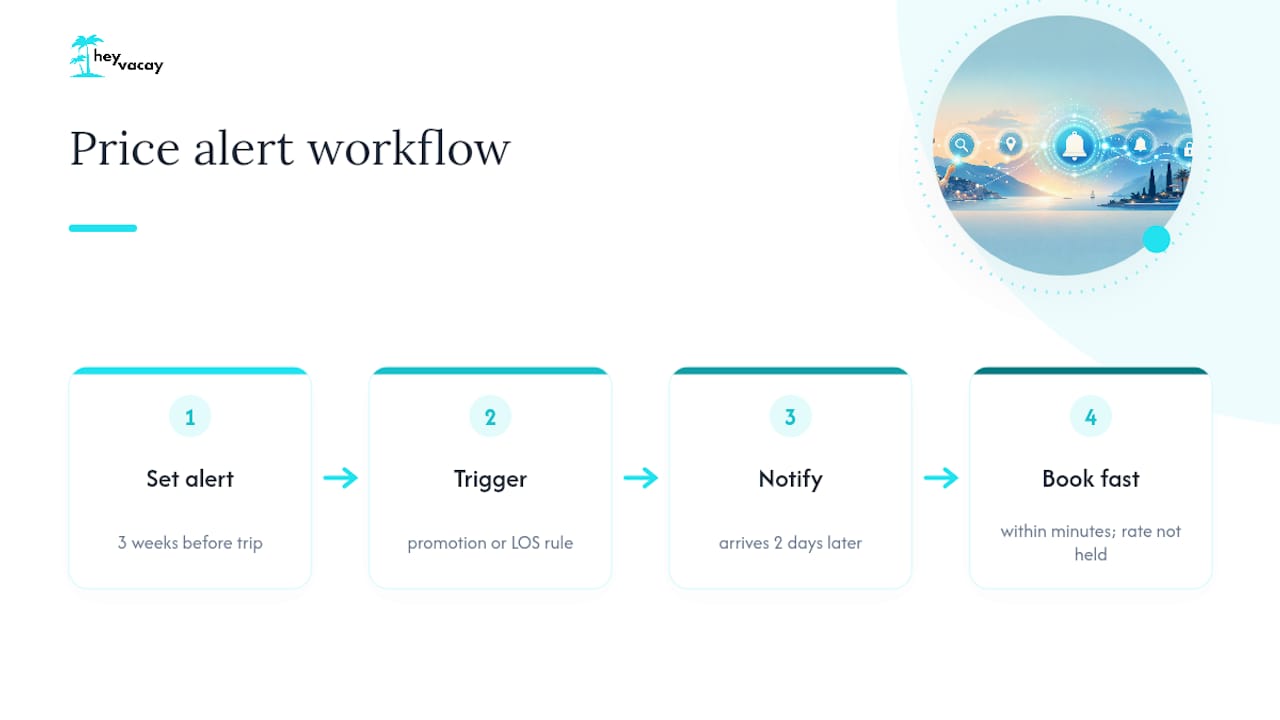
That speed matters because live rates aren't held for you. If your alert threshold fires and the total price checks out, book it before you close the tab. Revisit it "later today" and the rate may already be gone.
Start Tracking a Hotel's Real Price Right Now
You've seen how live pricing works, what makes a rate move, and how to compare totals instead of teaser numbers. Putting that into practice takes less time than reading this article did.

HeyVacay lets you search real-time rates on your exact dates, set an alert with your own threshold, and see the full total, taxes and fees included, before you ever reach checkout. On your first search, you'll set your travel dates and party size, choose your alert threshold, and pick push or email notifications. From there, HeyVacay watches the rate so you don't have to keep refreshing a tab. Start tracking a hotel now and let the next price drop come to you.
Frequently Asked Questions
How often do real time hotel prices actually update? It depends on the source. Official APIs can return a fresh quote in seconds when you search, while scraped rate feeds typically refresh anywhere from every 30 minutes to sub-3-minute intervals on paid monitoring plans. A page you haven't refreshed could easily be showing you a rate from hours ago.
Can two websites show different live prices for the same room? Yes, and it doesn't mean one is broken. Different platforms cache on different schedules, bundle fees differently, and attach different cancellation terms to what looks like the same room. Always compare total price, not just the number in bold.
What's the best time to book for the lowest real time hotel prices? There's no universal rule, but prices tend to hold steady in the 30-day window before a stay and get more volatile inside the final week. Last-minute unsold inventory sometimes drops sharply in the final 24 to 48 hours, though that's a gamble, not a guarantee.
How do I know if a price alert is worth acting on? Set your threshold at a meaningful drop, around 8 to 10 percent, so you're not chasing routine fluctuation. When an alert fires, confirm the total price and cancellation terms immediately, since live rates change again in minutes.
Do hotel price guarantees actually protect me? A price match or guarantee is only as good as its fine print. Check whether it covers the total price or just the nightly rate, what time window it applies to, and whether it requires you to file a claim rather than adjusting automatically.
Sources
- Hotel Rate Data API for Price Intelligence | StayAPI
- Hotel Price Data Scraping | Real-Time Rate Monitoring - ScraperScoop