
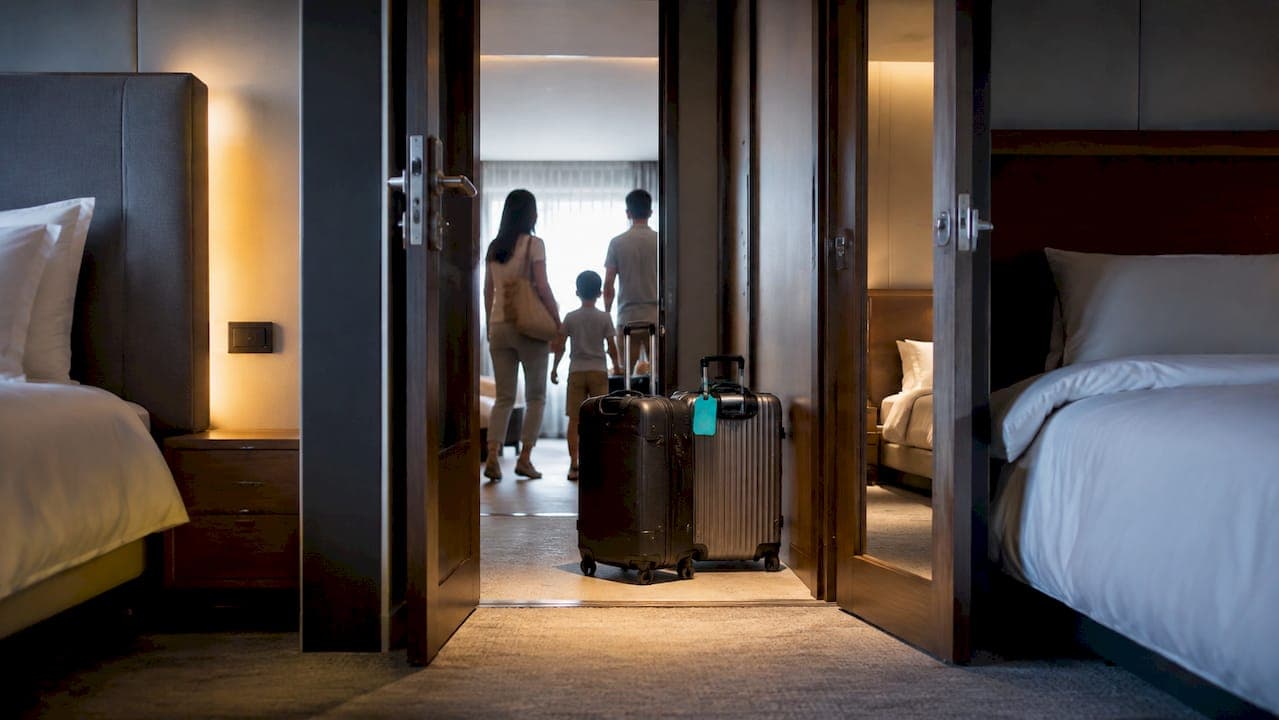
Connecting rooms are two separate hotel rooms joined by a lockable interior door, letting guests move between them without stepping into a hallway. You can reliably secure them by booking directly through a hotel brand's guaranteed connecting-room feature or by following a short checklist before, during, and after booking. Hilton, Omni, and a growing number of independent properties now let you confirm connecting rooms in the same flow as your reservation.
TL;DR:
- Hotel guarantees for connecting rooms are now available at major brands like Hilton and Omni, locking in pairs during booking rather than relying on requests.
- Guarantee options often carry an extra fee and typically limit reservations to two rooms, with accessible rooms requiring separate arrangements.
- Booking both rooms under one reservation, verifying interior door functionality at check-in, and arriving together improve chances of successful connecting-room assignments.
- Most properties require guests from both reservations to be present at check-in to confirm connections, especially for bookings under different names.
- An AI-driven search platform can help find guaranteed connecting rooms and transparent rates more efficiently than individual brand websites.
Table of Contents
- Connecting vs. Adjoining Rooms: What Each Term Actually Means
- How Hotels Let You Guarantee Connecting Rooms
- Step-by-Step: How to Book and Confirm Connecting Rooms
- Availability, Fees, and Common Hotel Policies You Should Expect
- Practical Booking Tips for Families and Groups
- What We've Learned Helping Families Track Down Connecting Rooms
- Find Connecting Rooms Without the Guesswork
- Sources
Connecting vs. Adjoining Rooms: What Each Term Actually Means
Booking sites throw around "connecting," "adjoining," and "adjacent" like they're interchangeable. They're not, and the difference decides whether you can hear your kid cough at 2 a.m. or have to walk down a hallway to check.
A connecting room setup means two rooms share an interior door that opens directly between them, according to the AltexSoft glossary of hospitality terms. Unlock that door and you've got one unit with two separate entrances from the hallway. An adjoining room setup means the rooms sit next to each other, sometimes even sharing a wall, but there's no internal passage. You'd need to step outside into the corridor to go from one to the other.
That distinction changes who should book which:
- Families with young kids almost always want true connecting rooms so a parent can check on a sleeping toddler without unlocking a hotel-room door and walking past other guests' rooms.
- Multi-generational trips (grandparents in one room, parents and kids in the next) benefit from connecting rooms for the same reason, plus easier hand-offs of shared items like a diaper bag or medication.
- Caregivers traveling with someone who needs supervision generally require connecting rooms, not adjoining ones, since privacy and quick access both matter.
- Business teams or friend groups who want their own space but don't need constant access often do fine with adjoining rooms, which are usually easier to find and don't carry the extra scrutiny some hotels apply to connecting-door assignments.
- Groups splitting the cost of a larger stay sometimes prefer adjoining rooms simply because inventory is more flexible.
Hotel websites are inconsistent about labeling this. Some property pages spell out "connecting rooms available" directly on the room-type description. Others bury it in an amenities filter, and a few only mention it if you call and ask. If a listing says nothing at all, that's usually a sign to check the room type details or contact the property before you assume anything.
How Hotels Let You Guarantee Connecting Rooms
For years, "requesting" connecting rooms meant typing a note into a special-requests box and hoping the front desk noticed it before you showed up. That system still exists, and it still fails guests more often than anyone would like. What's changed is that several major hotel brands have built an actual guarantee into the booking flow itself.
Hilton rolled out Confirmed Connecting Rooms, a feature that lets you lock in connecting or adjoining rooms the moment you book, rather than crossing your fingers until check-in, as explained in Explaining Digital Reservations: What Every Traveler Should Know. According to Hilton's announcement, the process works in three basic steps: you select the connecting-room option on a participating property's page, book each room individually, and get immediate confirmation that the rooms are paired. No follow-up call. No note that might get lost in a shift change.
Omni Hotels & Resorts runs something similar called Stay Together, which lets guests guarantee two connecting rooms right in the booking flow at Omnihotels. Some independent properties have copied the model too. B Ocean Resort, for instance, advertises its own site-only guarantee that confirms connecting or adjoining rooms instantly during booking, which shows this isn't just a big-chain trend. It's becoming a baseline expectation.
What makes these guarantees different from a special request:
- A guaranteed feature locks the pairing at the moment of booking, not at check-in.
- You typically get a confirmation number or note in your reservation email that names both rooms as connected.
- A special request, by contrast, is just a note. The hotel might honor it, might not, and usually won't tell you either way until you arrive.
Pro Tip: If a hotel's website doesn't show a connecting-room checkbox or filter, that's usually a sign the property doesn't offer a guaranteed feature at all, not that you're missing a setting. Call the hotel directly and ask whether connecting rooms exist in that building before you book two separate reservations and hope.
These guarantees come with real limits. Omni's Stay Together, for example, typically limits bookings to pairs of rooms per reservation, and Omni notes the feature can carry an extra nightly charge depending on the property and dates. Accessible rooms are handled separately in most systems, so a guest who needs an ADA-compliant room paired with a standard connecting room should call ahead rather than rely on the online flow. Rate differences are common too. Guaranteed connecting rooms sometimes sit at a slightly higher rate tier than the same room type booked without the pairing, since the hotel is reserving specific inventory rather than pulling from a general pool.
The practical takeaway: if a brand offers a guaranteed feature, use it. It's a meaningfully stronger commitment than a request typed into a comments field, even though it still comes with fine print worth reading.
Step-by-Step: How to Book and Confirm Connecting Rooms
Getting connecting rooms reliably isn't about luck. It's about doing three specific things before you ever walk through the lobby doors.
Before you book:
- Check the property's room maps or floor plans if the hotel's site provides them. Some properties show which room numbers connect, which tells you more than a generic "connecting rooms available" label ever will.
- Read the hotel's FAQ or help page. Marriott's help center, for example, spells out that connecting-room requests can be made online or at check-in but remain subject to availability, a detail that changes how much you should rely on an unconfirmed request.
- Call the property directly if the room layout isn't clear online. A five-minute call before booking beats a frustrating conversation at the front desk with tired kids and luggage piled around you.
When you book:
- Use the hotel's direct guaranteed-connecting option if one exists, rather than booking through a third party and hoping the request carries over. Third-party sites often can't transmit special requests reliably, and some don't pass them to the hotel at all.
- Book both rooms under one reservation when possible. A single reservation covering both rooms creates far less friction at check-in than two separate bookings under different names.
- Screenshot your confirmation and note the reservation code for each room. If a connecting-room guarantee shows up in writing, keep that record. It's your leverage if something goes wrong later.
At check-in:
- Show up together if you booked under different names. Hotels frequently require guests from both reservations to be present at check-in before staff will process a connecting-door assignment, largely as a security measure, according to Marriott's guidance on connecting-room requests.
- Test the interior door yourself before unpacking. Ask the front desk to confirm it unlocks from both sides. This takes thirty seconds and saves you from discovering a jammed or locked connecting door after you've already settled in.
If connecting rooms aren't available on arrival:
- Ask about adjacent floors or an upgrade as the first fallback. Many properties will offer a nearby room or a complimentary upgrade rather than lose the booking entirely.
- Request early check-in if the connecting rooms are occupied by guests who haven't checked out yet. Sometimes the pairing exists; it's just not ready.
- Escalate to a manager if front-desk staff can't resolve it and you booked a guaranteed feature. A confirmed guarantee that isn't honored is a legitimate complaint, not an unreasonable ask.
Pro Tip: Timing your check-in for mid-afternoon instead of the moment doors open at 3 p.m. gives housekeeping more buffer to finish turning over the specific rooms you need. Arriving right at opening time is when connecting-room mix-ups happen most.
Availability, Fees, and Common Hotel Policies You Should Expect
Connecting rooms aren't unlimited inventory. A hotel might have 40 connecting pairs in a 300-room building, and if those pairs are booked out for a busy weekend, no amount of asking nicely changes the floor plan. Some properties even configure their reservation systems so a connecting door can't be formally assigned until after check-in, which is part of why online requests sometimes go unanswered even when the hotel technically has the rooms.
Expect a few consistent rules across the industry:
- Guaranteed features often carry an extra nightly fee. Omni notes its Stay Together guarantee may include an added charge depending on the property, since the hotel is reserving specific paired inventory rather than pulling from general availability.
- Most guarantees typically limit bookings to pairs of rooms per reservation. Groups needing three or more connected rooms typically have to make multiple reservations or call the property directly to coordinate a larger block.
- Maximum occupancy still applies per room, even when two rooms are connected. Connecting doors don't turn two rooms into one larger unit for occupancy-limit purposes.
- Simultaneous check-in is often required when the two rooms are booked under different names or different reservation numbers.
That last point trips up more families than any other policy on this list. Here's how Marriott frames the reasoning behind it:
Requests for connecting or adjoining rooms can be made online or at check-in but remain subject to availability. Hotels may require guests from both reservations to be present at check-in in order to confirm a connecting-door assignment.
That's a security protocol, not bureaucratic friction for its own sake. Front-desk staff generally won't unlock a connecting door between two rooms booked by different guests unless someone from each reservation is standing there to confirm the pairing. If you're traveling with extended family under separate bookings, plan to arrive together, or ask the hotel in advance whether merging the reservations is possible.
Practical Booking Tips for Families and Groups
Families lose more connecting-room bookings to vague requests than to bad luck. "We'd like connecting rooms if possible" tells the hotel almost nothing useful. Specificity is what gets a request actually flagged and honored.
When you add a special request, include the exact detail that matters: number of adults and children per room, ages if a crib or rollaway is needed, and which room the crib should go in. A request like "crib needed in the room with the two children, ages 4 and 7" gets handled far more consistently than a generic note.
A few habits worth building into every family booking:
- Verify crib or rollaway placement by phone, not just through the online request field, especially for peak weekends when housekeeping is stretched thin.
- Re-confirm your reservation 24 to 72 hours before arrival. This single habit catches more last-minute problems than anything else you can do, since it gives the property time to fix an error before you're standing in the lobby.
- Book connecting rooms as early as you can for peak periods like school holidays and summer weekends, when paired inventory sells out well before the rest of the hotel.
- Ask specifically about accessibility needs if anyone in your group requires them, since accessible rooms are usually managed outside the standard connecting-room booking flow.
Pro Tip: Before you leave home, write a one-line note with your confirmation numbers, the names on each reservation, and your expected arrival time. Handing that to the front desk speeds up simultaneous check-in more than any app or app confirmation screen. For deeper family-specific advice, HeyVacay's family booking guide covers additional layout and timing details worth reading before a big trip.
What We've Learned Helping Families Track Down Connecting Rooms
Searching for connecting rooms used to mean opening a dozen browser tabs, cross-referencing room-type pages, and calling hotels to ask questions their own websites should have answered. HeyVacay's AI-driven search was built partly to cut through exactly that mess by surfacing family-friendly room layouts and transparent rates side by side, instead of making you dig for the one property page that mentions connecting doors.
One pattern shows up constantly: families who search broadly across multiple properties at once find guaranteed connecting-room options faster than families who fixate on a single brand's site and hope. Casting a wider net during the search phase, before committing to a specific hotel, tends to save real back-and-forth later.
Whatever platform you use, confirm the connecting-room detail directly with the property once you've narrowed your choice. No search tool replaces that final check.
— HeyVacay
Find Connecting Rooms Without the Guesswork
Comparing hotel brand sites one by one to find which properties actually guarantee connecting rooms eats up time most travelers don't have. An AI-driven search can do that comparison for you, surfacing family-friendly layouts and connecting-room options alongside transparent pricing, with no hidden fees tacked on after you think you've found a deal.
That transparency matters most for family bookings, where a guaranteed connecting-room rate can otherwise get buried under vague "call for details" language. The platform shows you the real rate up front, so you can weigh a guaranteed pairing against a standard room without doing extra math or making a phone call first. If you're piecing together a larger group booking, pairing this search with a look at group rate strategies helps you time the booking for the best combination of availability and price.
Check current availability and pricing for your dates at HeyVacay before you commit to a property, and confirm the connecting-room detail with the hotel once you've picked your favorite option.
Sources
- Hilton press release: Hilton introduces Confirmed Connecting Rooms
- Omni Hotels & Resorts — Stay Together. Guaranteed.
- Marriott help: How do I request connecting or adjoining rooms?
- AltexSoft glossary: Connecting rooms