
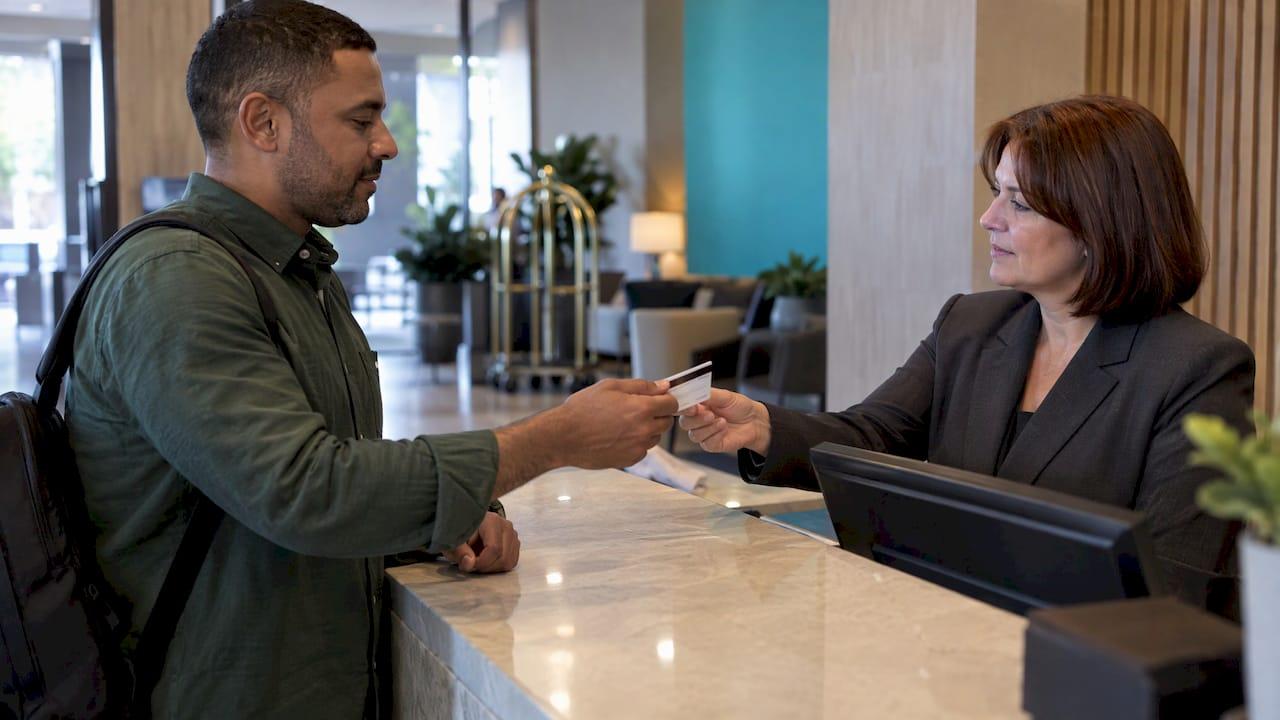
A hotel corporate code is a number or ID tied to a negotiated rate between a hotel and one specific company. It is meant for that company's travelers, so it only works legitimately if your employer has the agreement. If you don't have one, you can still get a lower price on the same hotels, and that is what we build HeyVacay for: hotel rates that are lower than the big booking sites, with clear pricing and no hidden fees.
This guide covers what the codes are, how to enter one correctly, how to tell whether it actually beats the public price, and what to do when you don't have one.
TL;DR
- A corporate code unlocks a rate negotiated between a hotel (or chain) and one company. It is for that company's travelers, not the general public.
- Codes found in public lists are not permission to use them. Hotels can ask for proof at check-in and reprice the stay if you can't show it.
- A corporate rate is not automatically the cheapest one. Compare the total price, cancellation terms and perks against the public rate for the same room and dates.
- Without a code, you can still book the same hotels at lower prices through HeyVacay, with transparent pricing and flexible cancellation.
Table of Contents
- What a hotel corporate code actually is
- Who is allowed to use a corporate code
- How to enter a corporate code correctly
- What happens at check-in
- Is the corporate rate really the cheaper one?
- Business trips: keep the rate and the expense report clean
- No code? How to book lower anyway
- Spend less with HeyVacay
- Our perspective
- FAQ
- Sources
What a hotel corporate code actually is
Companies that send many employees to the same cities negotiate discounted rates with hotels. In return for expected room volume, the hotel gives the company a code. Hotels typically set these terms based on factors like how often a company travels and how many rooms it books, and then provide a code that employees use at booking, as one hotel group's business travel guide explains.
The code is usually called a corporate ID, account number, or client number. Some chains call it a special rate or SET number. All of these mean the same thing: a key that tells the hotel's system which negotiated price list applies to you.
Codes that look similar but are not the same
Search results for this topic mix several unrelated things, so it helps to separate them:
- Corporate codes tie a rate to one company's agreement. Hilton's developer documentation describes corporate rates as available only to the specific company at the hotel, for a specific room type.
- Membership and public rate codes cover things like AAA or AARP rates, and the lowest published rate. The same Hilton document lists these as separate categories from corporate rates.
- Group codes apply to a block of rooms for a wedding, conference or team event. If you are planning one, see our guide to group hotel rates.
- Room status codes (occupied, vacant clean, out of order) are internal housekeeping and front desk labels, and have nothing to do with price.
- Chain codes are the two-letter identifiers travel systems use for brands. They name a brand, not a discount.
When someone says "corporate codes hotels," they almost always mean the first one.
Who is allowed to use a corporate code
The short answer: employees, and sometimes clients or approved suppliers, of the company that holds the agreement.
Hotel chains are specific about this. Corporate IDs are issued by the employer or the company's travel program administrator, not by the hotel brand. The same page says that using the wrong code can lead to the rate being rejected or corrected at check-in, and that guests should confirm their eligibility with their employer before booking.
If you want to see how the other side of the desk thinks, how hotels build corporate travel programs shows why a hotel offers a company-specific rate at all: it is a volume agreement, not a coupon.
Two practical points follow:
- Ask your travel manager or HR first. Your company may have several codes, one per chain or even per region, and policy may require a particular one.
- Never copy a code from a public list. A code appearing online proves it existed at some point. It doesn't mean you are covered by it, or that it still prices today.
How to enter a corporate code correctly
The exact screens differ by brand, but the routine is the same.
- Get the code and the rules from your employer. Ask which brands and cities it covers, and whether it is for work travel only.
- Open the hotel brand's booking page and find the special rate field. In IHG's flow, you select Corporate Special Rate in the Rate Preference menu before you search, then type the Corporate ID. Other chains use a field labeled corporate, promo or special rates.
- Search and read the rate name. The price shown should already include the discount. A message such as "rate unavailable" usually means that hotel doesn't participate, the room type is sold out for the discounted category, or the code has been retired.
- Run the same search again without the code. This is the step people skip, and it is the one that tells you whether the code is worth using (more on that below).
- Book, and keep proof. Bring valid identification to check-in.
Some employers now verify you before the rate applies. Hilton's business platform, for example, was reported to require a work email on the company's domain and a security code step. If you have a work email, that route is simple. If you don't, the rate won't be available to you, which is the system working as intended.
What happens at check-in
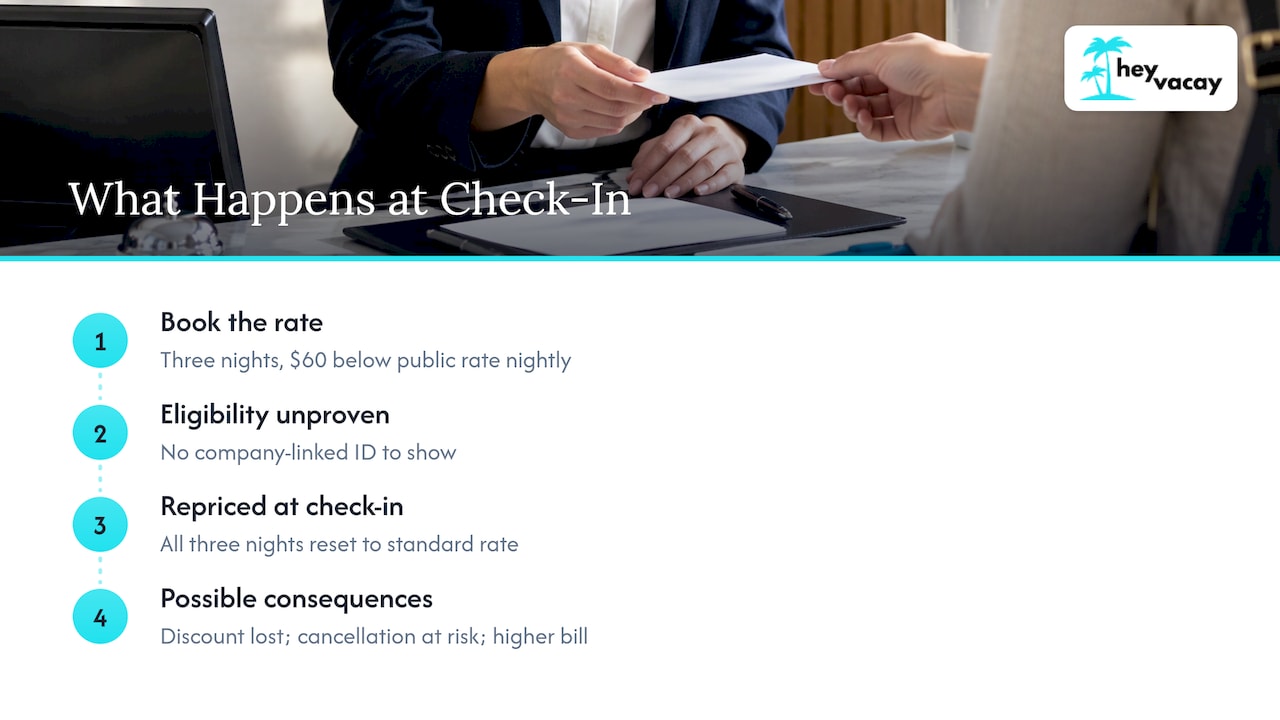
Corporate rates come with an obligation to prove you qualify. IHG's policy says guests may be asked for a valid employee ID, business card, or written authorization on company letterhead, and that the hotel can re-rate the stay to its Best Flexible Rate if you can't show it.
Marriott's updated rules, as reported in September 2026, state that corporate negotiated rates can only be used by employees of eligible companies, and that hotels can adjust unauthorized stays to the Best Available Rate at check-in.
The practical risk is easy to see with an example. Imagine you book three nights on a code you found online because it priced $60 a night below the public rate. At the desk you can't show ID tied to that company, and the hotel reprices all three nights to the standard rate. You have lost the discount, may have lost a cancellation window you counted on, and may be caught short on the final bill. Memberships can be affected too: IHG's member terms treat abuse of corporate rates as a ground for account action, as noted in this IHG rewards guide.
For a family on a vacation budget or a couple planning a getaway, that is a bad trade. A smaller discount you can keep beats a bigger one that disappears at the front desk.
Is the corporate rate really the cheaper one?
Not always. A corporate rate is negotiated for the employer's benefit, and the price you see depends on the hotel, the date and the room type. Hilton's documentation notes that corporate rates can be tied to a specific room type, and the public rate is a separate line again.
IHG's own comparison guidance tells travelers to compare full terms, not the headline number: total price including taxes, resort or service charges, deposits and parking, the exact cancellation deadline and time zone, payment timing, and rewards eligibility. That is a good checklist for any rate on any site.
Here is a simple comparison to run on the same room and dates:
| What to compare | Corporate rate | Public or member rate |
|---|---|---|
| Nightly price | Shown after code entry | Shown without code |
| Taxes and mandatory fees | Check if destination or resort fees apply | Check the same line |
| Cancellation | Deadline, time zone, penalty | Deadline, time zone, penalty |
| Payment | Pay at hotel or prepaid | Pay at hotel or prepaid |
| Perks | Wi-Fi, breakfast, points | Wi-Fi, breakfast, points |
Pay attention to the total you will actually pay. A rate that looks $10 cheaper but is prepaid and non-refundable is a different product from a slightly higher rate you can cancel the day before.
Corporate discounts also vary by place. Because they are negotiated hotel by hotel, a code that prices well in a big business city may show nothing at a resort or a small-town property. Leisure destinations are where travelers most often see "rate unavailable."
Business trips: keep the rate and the expense report clean
If you are traveling for work and your employer gave you a code, use it as instructed, and book through the channel your company requires. Our guides on business versus leisure rates and three hotel details to confirm before a business trip cover how to keep the booking consistent with your expense policy, including when you extend a trip for personal days. If you are building the trip around a few leisure days, see our bleisure booking tips.
If you travel for work but your company has no hotel agreement, or you are self-employed, a code isn't the route. Our walkthrough on getting corporate-level hotel rates without a company shows what to do instead.
No code? How to book lower anyway
Most travelers searching this topic are not employees on a negotiated account. They are budget travelers, families, couples and frequent travelers who saw that a code saved someone money and want the same result. The honest route is to go after the rate itself rather than the code.
That is where HeyVacay fits. We help you find the same hotels at lower prices, using AI and wholesale inventory to compare options. You see the price you pay up front, with no hidden fees, which is the very thing the full-terms checklist above tries to protect you from. Our guide to six quick checks for transparent hotel pricing shows how to read any quote. For business stays, our five-minute checklist for business hotels walks through the routine. And because prices on the same room move with demand, how dynamic pricing works helps you choose when to book.
A few habits that work with any hotel search:
- Compare the all-in total, not the nightly price.
- Check the cancellation deadline and its time zone before paying.
- Search a few date combinations, since midweek and weekend rates can differ a lot.
- Book a room type you actually need. Base-level rooms are often the ones a discount applies to.
- Keep your confirmation details, and book through a site with reachable support.
Spend less with HeyVacay
Whether you are planning a family vacation, a weekend for two, or a work trip you pay for yourself, you can search hotels, compare prices and book in one place on HeyVacay. We show clear pricing with no hidden fees, support flexible cancellation, and you can reach a real person through our help and support page if something about your booking needs attention.
Search multi-destination trips, compare the totals, and book the stay that fits your budget.
Our perspective
Corporate codes exist because hotels reward volume. A company that sends hundreds of guests earns a lower rate, and that makes sense. The trouble is that the idea gets turned into a hunt for codes by people who were never part of the deal, and that hunt tends to end at a front desk with a repriced bill.
We think travelers deserve a better route to a lower price than a borrowed number. Our platform is built around lower rates on the same hotels, shown clearly, with no hidden fees added at the end. When the price you see is the price you pay, you don't need a front desk to approve it.
Flexible cancellation and real human support matter just as much. A cheap room is only a good deal if you can change it when plans change and talk to someone when something goes wrong.
HeyVacay
FAQ
What is an example of a corporate code?
A corporate code is usually a numeric or alphanumeric ID that your employer's travel program provides, entered in a special rate or corporate field when you book on a hotel brand's site. It maps to a negotiated rate for that one company, so a code that works for one firm's employees does not apply to another's.
Can anyone use a hotel corporate code?
No. Corporate rates are for employees of the company that negotiated them, and sometimes its clients or approved suppliers. Hotels can ask for an ID, business card or company letterhead authorization at check-in and reprice the stay if you can't show it.
Is a corporate rate always cheaper than the public rate?
No. It depends on the hotel, date and room type, and the cancellation terms, fees and perks may differ. Compare the total price and terms for the same room against the public rate before choosing, as hotel rate comparison guidance recommends.
How can I get a lower hotel price without a corporate code?
Search for the same hotel across your date options, compare the all-in totals, and check the cancellation terms. On HeyVacay you can compare hotel prices in one place, with transparent pricing and no hidden fees.
Sources
- IHG: How to use corporate, negotiated, group, government and military rates
- IHG: Compare member, corporate and flexible rates
- Hilton Developer Portal: Code mappings
- Accor Business Travel: Corporate hotel rates guide
- 36Kr: Marriott corporate rate verification report
- MilePro: IHG corporate codes and discounts
- StayStrategy: How to create a hotel corporate travel program